Nyansapo AIAboutAbout
GitHubGitHub (opens in a new tab)
  • Introduction
  • Getting Started
    • Registration
    • Reset Password
  • Organization Overview
  • Schools
    • Add School
  • Instructors
    • Add Instructor
    • Edit Instructor
  • Counties
    • Add County
    • Remove County
    • View Map
  • Programs
    • Create New Program
    • Edit Program Details
    • Visualize Program Data
  • Students
    • View student Data
    • Student Assessment Results
    • Edit Results
      • Edit Letter and Word Results
      • Edit Paragraph and Story Results
  • Data Analysis
  • Conclusion
  • Common Issues and Troubleshooting Tips
  • Introduction
  • Getting Started
    • Registration
    • Reset Password
  • Organization Overview
  • Schools
    • Add School
  • Instructors
    • Add Instructor
    • Edit Instructor
  • Counties
    • Add County
    • Remove County
    • View Map
  • Programs
    • Create New Program
    • Edit Program Details
    • Visualize Program Data
  • Students
    • View student Data
    • Student Assessment Results
    • Edit Results
      • Edit Letter and Word Results
      • Edit Paragraph and Story Results
  • Data Analysis
  • Conclusion
  • Common Issues and Troubleshooting Tips
  • About
Question? Give us feedback → (opens in a new tab)Edit this page
Students

You can view detailed information about the assessments that a learner has done, to do this, navigate to the student's tab from the camp overview page.on the student's tab, you will be able to view all of the students registered with the app and their assessment results for baseline, midline, and endline. there are also various filters and a search bar located at the top of the table to help you sort and view certain subsets of the data.
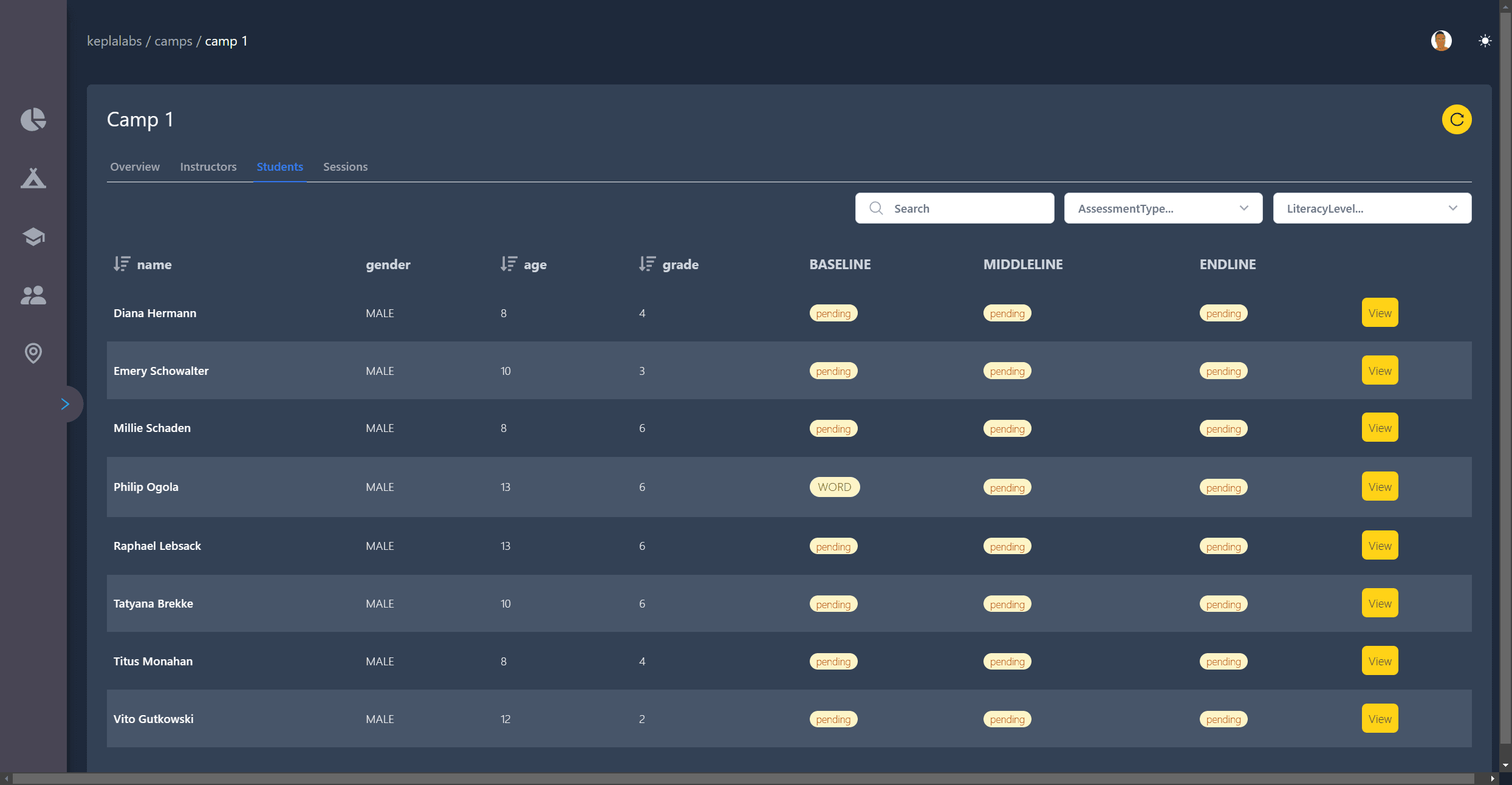
Student list

Visualize Program DataView student Data

Dashboard and Application Docs