Nyansapo AIAboutAbout
GitHubGitHub (opens in a new tab)
  • Introduction
  • Getting Started
    • Registration
    • Reset Password
  • Organization Overview
  • Schools
    • Add School
  • Instructors
    • Add Instructor
    • Edit Instructor
  • Counties
    • Add County
    • Remove County
    • View Map
  • Programs
    • Create New Program
    • Edit Program Details
    • Visualize Program Data
  • Students
    • View student Data
    • Student Assessment Results
    • Edit Results
      • Edit Letter and Word Results
      • Edit Paragraph and Story Results
  • Data Analysis
  • Conclusion
  • Common Issues and Troubleshooting Tips
  • Introduction
  • Getting Started
    • Registration
    • Reset Password
  • Organization Overview
  • Schools
    • Add School
  • Instructors
    • Add Instructor
    • Edit Instructor
  • Counties
    • Add County
    • Remove County
    • View Map
  • Programs
    • Create New Program
    • Edit Program Details
    • Visualize Program Data
  • Students
    • View student Data
    • Student Assessment Results
    • Edit Results
      • Edit Letter and Word Results
      • Edit Paragraph and Story Results
  • Data Analysis
  • Conclusion
  • Common Issues and Troubleshooting Tips
  • About
Question? Give us feedback → (opens in a new tab)Edit this page
Instructors
Edit Instructor

To edit an instructor details ,click the options button located on the far right of the instructor's name and select edit. A popup will appear where you have the option of editing the instructor's email, marking them as trained, removing the instructor completely, and assigning the instructor to a camp/program.
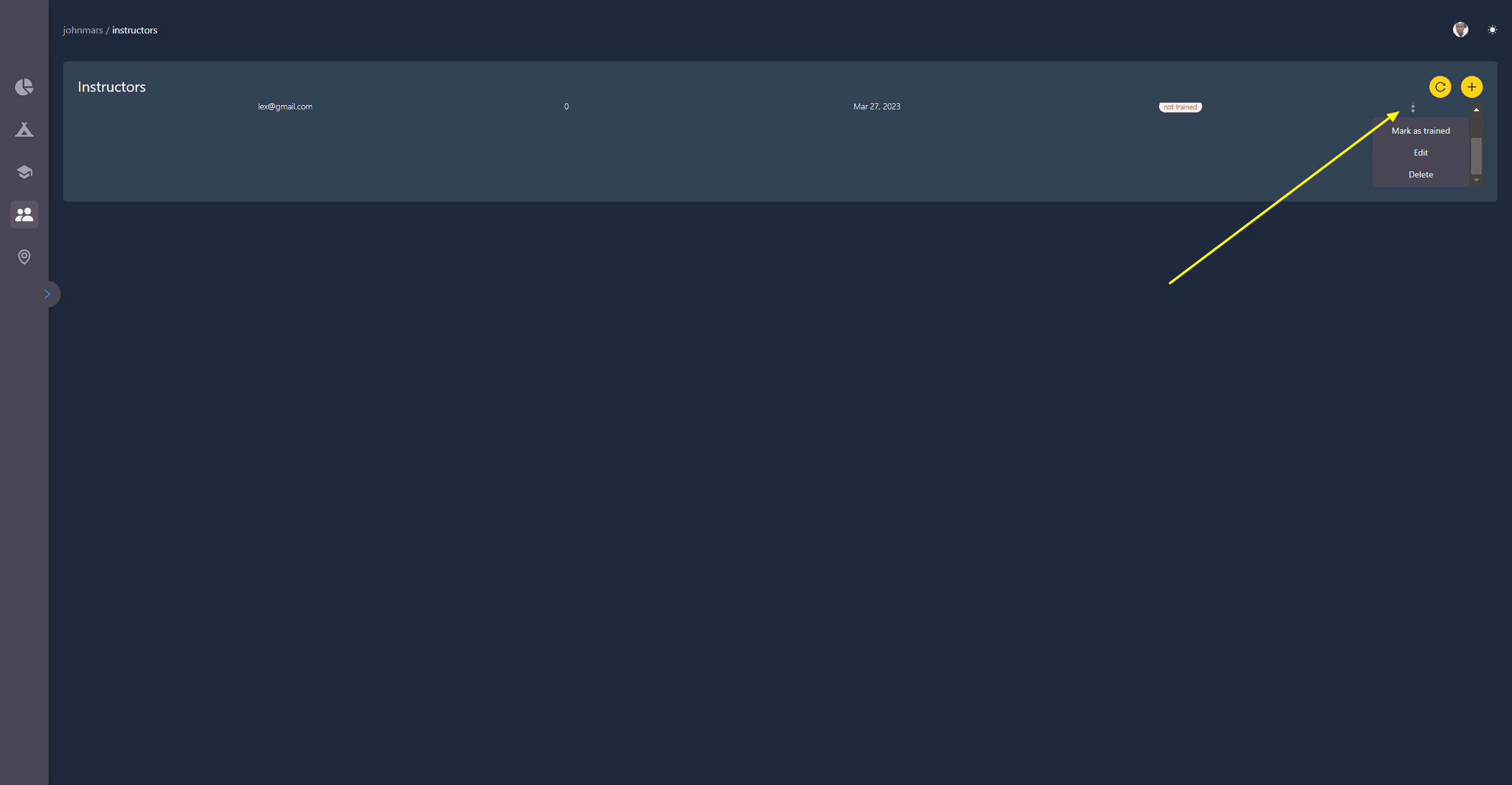
Edit Instructor

Add InstructorAdd County

Dashboard and Application Docs